
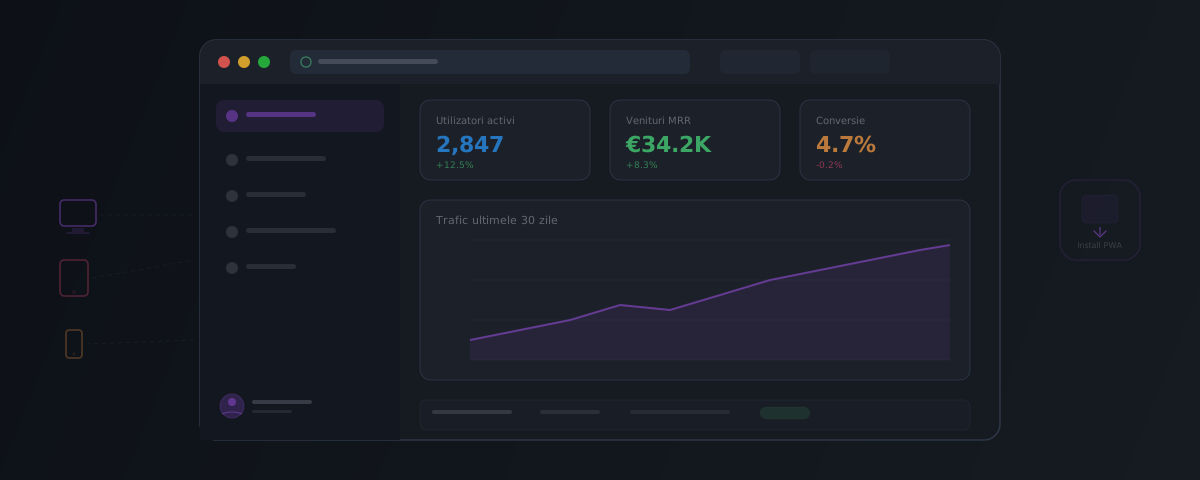
Gmail, Notion, Figma, Google Docs, Trello -- they're all web applications. You open them in a browser, they work on any device, and you don't have to install anything.
But what sets a web application apart from a regular website? And when does it make sense to build one instead of (or alongside) a mobile app?
In short: A web application runs in the browser, works on any device, and doesn't require an App Store installation. It's ideal for portals, internal tools, or MVPs. A native alternative is only worth it when you need hardware access (camera, GPS, Bluetooth) or intensive offline functionality.
Web Application vs. Website
Website
A website presents information. Visitors read, navigate, and occasionally fill out a form. Example: a company's presentation site, a blog, a product page.
Characteristics:
- Predominantly static content
- Limited interaction (navigation, simple forms)
- No authentication required (usually)
- SEO and public visibility are the priority
Web Application
A web application lets users do things: create, edit, manage data, collaborate. Example: a CRM, an analytics dashboard, a project management tool.
Characteristics:
- Dynamic content generated based on user data
- Complex interaction (forms, drag & drop, filters, notifications)
- Requires authentication and user roles
- Functions more like "software" than a "page"
The Simple Difference
If the user reads -- it's a website.
If the user works -- it's a web application.
Types of Web Applications
SPA (Single Page Application)
The application loads once, then navigation happens without page reloads. A fluid experience, similar to a desktop application.
Technologies: React, Vue, Svelte, Angular
Example: Gmail, Trello
MPA (Multi-Page Application)
Each action loads a new page from the server. More traditional, but simpler to build and better for SEO.
Technologies: Astro, Next.js (pages router), Laravel, Django
Example: Amazon, most e-commerce sites
PWA (Progressive Web App)
A web application that behaves like a mobile app:
- Can be installed on the home screen (no App Store needed)
- Works offline (with service workers)
- Sends push notifications
- Can access hardware (camera, GPS, sensors)
Technologies: any web framework + manifest + service worker
Example: X (Twitter), Starbucks, Pinterest
SSR/SSG (Server-Side Rendered / Static Site Generated)
Pages are generated on the server (SSR) or at build time (SSG), then "hydrated" in the browser for interactivity.
Technologies: Next.js, Nuxt, Astro, SvelteKit
Best for: applications that need both SEO and interactivity
Web Application vs. Mobile Application
The question "web or mobile?" comes up in nearly every project. The answer depends on context:
Choose a web application when:
- Users primarily work from a desktop/laptop
- The application involves heavy data entry (forms, tables, documents)
- You want a single codebase for all devices
- The budget is limited and you want a quick launch
- You don't need advanced native features (NFC, Bluetooth LE, HealthKit)
- App Store distribution isn't necessary
Examples: internal dashboards, CRMs, management platforms, B2B tools.
Choose a mobile application when:
- Users are on the go and primarily use their phone
- You need access to specific hardware (advanced camera, sensors, Bluetooth, NFC)
- Push notifications are critical for engagement
- You want presence in the App Store/Google Play (discovery, trust, reviews)
- The experience needs to be native (complex gestures, smooth animations)
Examples: delivery apps, fitness tracking, mobile banking, social media.
Choose both when:
- Your users vary (some on desktop, others on mobile)
- Features differ per platform (e.g. dashboard on web, scanner on mobile)
- The budget allows it -- but usually web first, mobile later
Choose a PWA as a middle ground when:
- You want a mobile app experience without App Store costs
- The native features you need are available via Web APIs
- Your audience isn't willing to install a separate app
- You want a single codebase for web + "mobile"
Popular Technologies for Web Applications
Frontend
| Framework | Strengths | Best suited for |
|---|---|---|
| React | Vast ecosystem, flexibility | Any web application |
| Next.js | SSR/SSG, API routes, easy deployment | SaaS, e-commerce, platforms |
| Vue / Nuxt | Gentle learning curve | Medium-sized apps, dashboards |
| Svelte / SvelteKit | Performance, small bundle size | Interactive apps, startup MVPs |
| Astro | Static-first, integrates with anything | Sites with interactive components |
Backend
| Technology | Strengths | Best suited for |
|---|---|---|
| Node.js (Express/Fastify) | Unified JS ecosystem | APIs, microservices |
| Go | Performance, concurrency | High-traffic systems |
| Python (Django/FastAPI) | Fast to develop, AI/ML | Platforms with AI components |
| Laravel (PHP) | Productivity, affordable hosting | MVPs, CRUD applications |
Databases
| Database | Type | Best suited for |
|---|---|---|
| PostgreSQL | Relational | Almost anything -- industry standard |
| Supabase | Managed PostgreSQL + auth + storage | Startups, MVPs |
| PlanetScale / Neon | MySQL/PostgreSQL serverless | Auto-scaling |
| MongoDB | Document store | Unstructured data, prototyping |
| Redis | Cache/pub-sub | Caching, sessions, real-time |
How We Approach Web Applications at Brainic
We build web applications with modern stacks, tailored to the project:
- Discovery -- we clarify requirements, define the MVP, and choose the right technology
- Design -- wireframes and interactive prototypes
- Iterative development -- we demonstrate progress at each iteration
- Launch and maintenance -- deployment, monitoring, post-launch support
Explore Brainic's services and discuss the requirements of a new or existing app, with or without AI.