
In 1999, NASA lost the Mars Climate Orbiter -- a $327 million project -- after a navigation error caused by a failure to translate English units to metric. NASA's mission report documents both the total cost and the conversion error.
The example is extreme, but it perfectly illustrates what bugs are: errors in code, design, or requirements that cause software to behave differently than intended.
In short: Bugs are inevitable in any software project -- what matters is how you manage them. A structured bug tracker, clear priorities (critical vs. cosmetic), and a solid reporting process reduce resolution time. The cost of a bug grows exponentially the later it's discovered.
Why Do Bugs Happen?
Bugs don't appear out of thin air. They have concrete causes:
- Ambiguous or incomplete requirements -- the team builds what they understood, not what was intended
- Human errors in code -- typos, flawed logic conditions, unhandled edge cases
- Complexity -- the larger the system, the more unexpected interactions grow exponentially
- Time pressure -- tight deadlines lead to shortcuts and lack of testing
- Poor communication -- between teams, between client and developer, between modules
Types of Bugs
Functionality Bugs
The software doesn't do what it should. The "Save" button doesn't save. The form submits empty data. The search returns wrong results.
These are the most visible and, as a rule, the easiest to reproduce and fix.
Logic Bugs
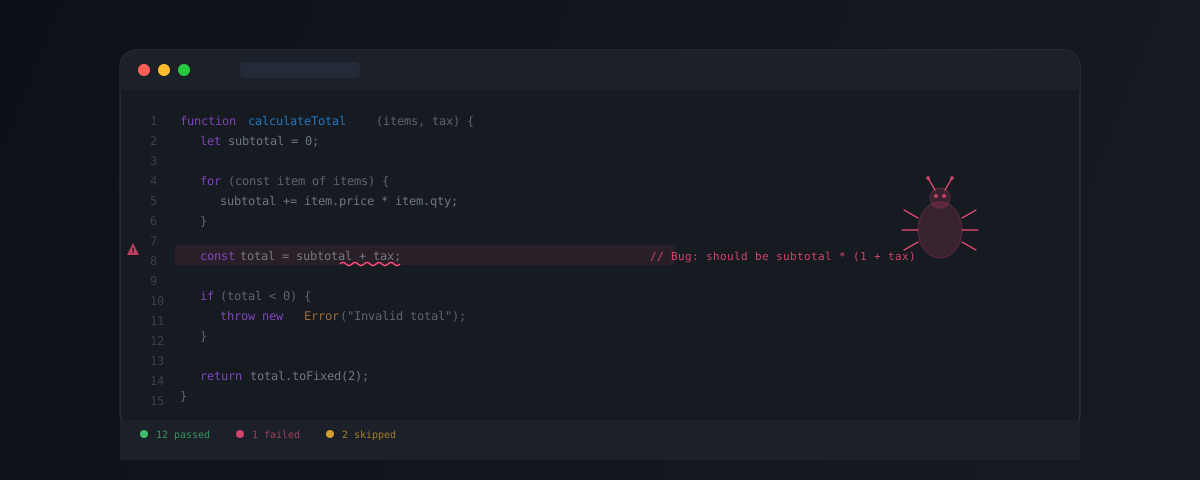
The code "works" technically but produces incorrect results. Example: a billing system that calculates VAT before the discount instead of after -- the invoice looks fine, but the amount is wrong.
These are insidious: they can go unnoticed for months.
Interface Bugs (UI/UX)
Text overlaps, buttons aren't clickable at certain resolutions, colors are wrong, navigation is confusing. They don't block functionality, but they affect the user experience and trust in the product.
Performance Bugs
The application works, but slowly. A page takes 8 seconds to load. A database query locks the server. The mobile app drains the battery in 2 hours.
Security Bugs
Exploitable vulnerabilities: SQL injection, cross-site scripting (XSS), weak authentication, exposed sensitive data. These are the most dangerous -- consequences can include financial losses, data breaches, and legal issues.
Integration Bugs
These appear at the boundaries between systems: the API sends one format, the receiver expects another. The database uses UTC, the interface displays local time. A payment is processed, but the confirmation never reaches the ERP.
Compatibility Bugs
It works on Chrome, but not on Safari. It runs on Android 14, but crashes on Android 12. It displays correctly on desktop, but is unusable on mobile.
Famous Bug Examples
| Incident | Cause | Impact |
|---|---|---|
| NASA Mars Climate Orbiter (1999) | Unit conversion error | Mission lost |
| Knight Capital (2012) | Software deployment and control failures | More than $460M lost |
| Heartbleed (2014) | Buffer over-read | Sensitive process memory exposed |
| Log4Shell (2021) | Remote code execution | Widely deployed software affected |
| CrowdStrike outage (2024) | Faulty update | An estimated 8.5M Windows devices affected |
How to Prevent Bugs
1. Clear Requirements From the Start
The most expensive bugs come from ambiguous requirements. A well-executed discovery phase eliminates an entire category of defects.
2. Systematic Code Review
Every piece of code is read by at least one other developer before merging. It's not about control -- it's about catching what the author can't see: edge cases, inconsistencies, vulnerabilities.
Aspects to look for in code review:
- Is the logic correct and does it cover edge cases?
- Does the code follow the project's conventions?
- Are errors handled properly (error handling)?
- Are there security implications?
- Is performance acceptable?
3. Automated Testing
Automated tests are the backbone of software quality:
- Unit tests -- test isolated functions and modules
- Integration tests -- test the interaction between components
- End-to-end tests (E2E) -- simulate complete user flows
- Performance tests -- verify response times under load
4. CI/CD (Continuous Integration / Continuous Deployment)
Automated pipelines that:
- Run all tests on every commit
- Check code style and quality (linting, static analysis)
- Scan for vulnerabilities in dependencies
- Block the merge if any check fails
This way, bugs are caught before they reach production.
5. Manual Testing and QA
Automated testing doesn't cover everything. An experienced QA tester finds issues that automated tests miss:
- Unusual user flows
- UX and accessibility problems
- Behavior on specific devices and browsers
- Edge-case scenarios no one anticipated
6. AI in Bug Detection
Tools in 2026 add an extra layer:
- AI-powered static analysis -- detects problematic patterns in code in real time
- AI-assisted code review -- identifies security vulnerabilities, performance issues, and logical inconsistencies
- Automated test generation -- AI can generate test cases based on code or requirements
- Predictive bug detection -- models trained on project history can identify areas with a high risk of defects
AI doesn't replace human testers, but it significantly amplifies their effectiveness.
How We Approach Quality at Brainic
At Brainic, quality isn't a separate phase -- it's part of every day of development:
- Mandatory code review for every pull request
- CI/CD pipeline with automated tests, linting, and security scanning
- Manual QA testing on critical flows
- Transparent reporting -- the client sees defect status in real time
Bugs are inevitable. What matters is how quickly you detect them and how systematically you prevent them.
If you have a project where quality matters: